Roblox clipping, explained
How to clip on Roblox with its built-in captures, Medal, OBS or your phone, and how to get paid by the game’s studio for views on TikTok, Reels and Shorts.
Updated ·
In short
- On 23 November 2026, MetaClip had 5 live Roblox clipping campaigns, and clips approved in the last 30 days had 8.5M+ verified views.
- Roblox clipping means posting short vertical clips of a Roblox game to TikTok, Instagram Reels or YouTube Shorts and getting paid by the game’s studio for the views they earn.
- Studios fund campaigns with a budget and a rate, usually per 1,000 views. Views are read from the platform, not self-reported.
- You need to be 18 or over, have a TikTok, Instagram (Business or Creator) or YouTube account, and be able to record gameplay. No follower count is required unless a campaign states one.
- On MetaClip, earnings are floor(views ÷ 1,000) × the rate, clear after 7 days and are paid to your bank.
What is Roblox clipping?
“Roblox clipping” is used two ways. Players use it to mean saving a clip of their own gameplay, with a screen recorder such as OBS on PC or a phone’s built-in screen recording. Creators use it for paid clipping: posting those clips to TikTok, Instagram Reels or YouTube Shorts and getting paid by the game’s studio for the views. Roblox clipping platforms such as MetaClip connect creators with Roblox studios, who pay per 1,000 verified views. This guide covers both, starting with how to clip on Roblox.
Paid Roblox clipping is short-form video marketing for Roblox games. A clipper records gameplay from a Roblox experience, cuts it into a 15 to 60 second vertical video, and posts it to their own TikTok, Instagram Reels or YouTube Shorts account. The studio that makes the game pays the clipper for the views that video earns.
It works because short-form video is where a large share of players find new Roblox games, alongside the Roblox home page itself. A studio would otherwise pay for ads or sponsor a handful of YouTubers. A clipping campaign spreads that budget across dozens of creators and only pays out on views that actually happen.
Clipping is part of a wider “clipping economy” where brands and streamers pay creators per view. Roblox clipping is the niche built around games: the content is gameplay, the audience is players, and the goal is people joining the game.
It is also one of the few ways to earn from Roblox without building anything: how to make money on Roblox without making a game compares it with running your own channel and selling UGC items.
Which Roblox clipping campaigns are open right now?
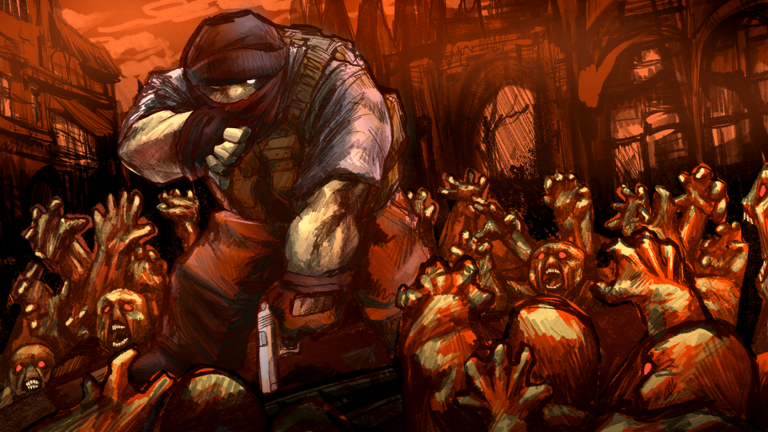
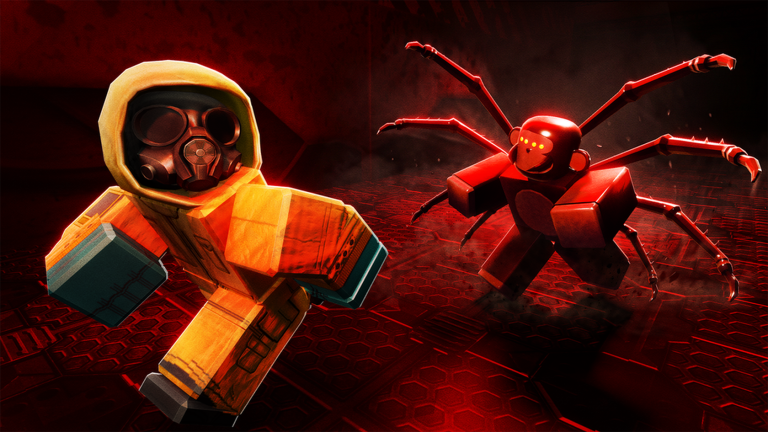
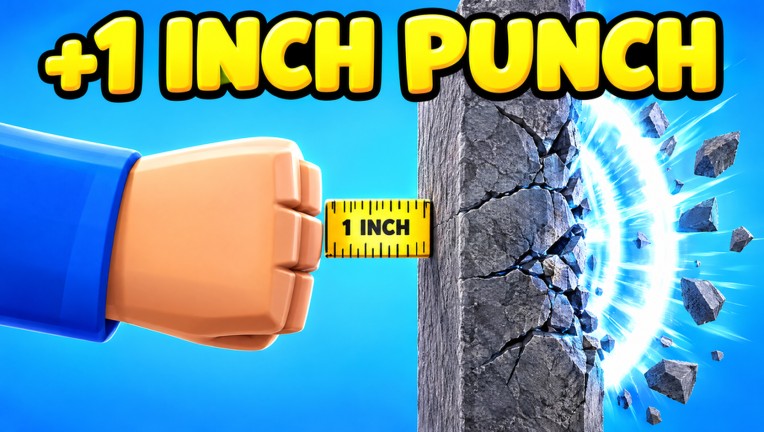
On 23 November 2026, MetaClip had 5 open Roblox clipping campaigns paying $1.00 to $1.00 per 1,000 views: OUTBREAK (1.9M+ verified views so far), Monkey Madness (1.4M+ verified views so far), +1 Inch PUNCH (574K+ verified views so far), Pizza Shop (443K+ verified views so far).
| Game | Rate | Post on | Verified views so far | Approved clips |
|---|---|---|---|---|
| OUTBREAK | $1/1K views | TikTok, Instagram Reels | 1.9M+ | 80+ |
| Monkey Madness | $1/1K views | TikTok, Instagram Reels, YouTube Shorts | 1.4M+ | 290+ |
| +1 Inch PUNCH | $1/1K views | TikTok, Instagram Reels, YouTube Shorts | 574K+ | 190+ |
| Pizza Shop | $1/1K views | TikTok, YouTube Shorts | 443K+ | 80+ |
| Survive A Million Chickens | $1/1K views | TikTok, Instagram Reels, YouTube Shorts | 175K+ | 110+ |
Studios fund these campaigns themselves and approve every clip. Views are read from TikTok, Instagram and YouTube every hour, and a clip earns from its first 1,000 verified views. The campaign board shows each one's brief and what is left to earn.
How do you clip on Roblox?
There are four ways to save a Roblox clip, all free:
- Roblox’s own captures. Open the Roblox menu in any experience and record a video from Captures. Roblox added video captures in July 2025, and its Moments experience (in beta, 13+) lets you trim and share them inside Roblox.
- Medal (PC). Runs in the background and saves the last few seconds when you press its clip key, so you can clip a moment after it happens.
- OBS or Xbox Game Bar (PC). OBS Studio records at any size, and its Replay Buffer saves the last few seconds on a hotkey. On Windows, Game Bar records with Windows + Alt + R, or saves the last 30 seconds with Windows + Alt + G.
- Your phone. Screen Recording in Control Centre on iPhone, or Screen record in Quick Settings on Android.
For clips you’ll post to TikTok, Reels or Shorts, record at 1080p or higher so the vertical crop stays sharp. Settings, vertical framing and editing are in how to record Roblox clips for TikTok.
How do paid clipping campaigns work?
Every campaign on MetaClip has the same parts:
- A budget, paid by the studio before the campaign goes live. Clippers can see how much of it is left.
- A rate. Most campaigns pay per 1,000 views (a CPM). Some pay a fixed amount per clip or a flat fee instead. The rate is shown before you make anything.
- Accepted platforms: TikTok, Instagram Reels, YouTube Shorts, or a mix.
- Rules such as what the clip must show, a required sound, a maximum payout per video, or, occasionally, a minimum follower count.
You post the clip on your own account, then submit it from your connected account inside MetaClip. The studio approves or rejects each submission. Once a clip is approved, MetaClip reads its view count from the platform every hour and adds earnings as the views grow. When the budget runs out, the campaign closes.
See every funded campaign and its rate on the live campaigns board, or walk through how Roblox clipping works step by step, with what a clip earns on each live campaign.
What do you need to start clipping?
- Be 18 or over, even with a parent's permission. Payouts go to a bank account in your own name.
- A posting account on TikTok, Instagram or YouTube. Instagram needs to be a Business or Creator account so its views can be read; switching is free in the Instagram app.
- A way to record gameplay: a PC with OBS (free) or a phone with built-in screen recording.
- A free editor such as CapCut to cut, caption and crop to 9:16.
You do not need followers, a niche account or any upfront money. A new account earns the same rate as an established one.
How do you post your first paid clip?
- Create a free MetaClip account and connect the TikTok, Instagram or YouTube account you will post from.
- Pick a campaign. Check the rate, the budget left, the platforms it accepts and its rules.
- Play the game and record. Capture more than you need: funny moments, close calls, rare drops, wins and fails.
- Edit to a vertical clip of 15 to 60 seconds with a hook in the first two seconds and on-screen captions.
- Post it on your account after the campaign’s start date, following any sound or caption rules.
- Submit the post from your connected account in MetaClip. Once the studio approves it, views are tracked every hour.
What makes a Roblox clip get views?
Short-form feeds reward clips people watch to the end and rewatch. For Roblox gameplay, that comes down to a few habits:
Hook in the first two seconds
Open on the most interesting moment, not the loading screen. Put a short caption on screen that sets up the payoff, such as “watch what happens at the door”.
One idea per clip
A single funny moment, a single clutch win, or a single “did you know” tip performs better than a montage. Cut anything that does not build to the payoff.
Formats that work for games
- Funny moments and fails
- Rare finds, unboxings and lucky rolls
- Tips, secrets and “things you didn’t know”
- Challenges and “first time playing” reactions
- Before and after progress, such as a base or garden upgrade
Make it easy to find the game
Name the game in the caption and on screen. Viewers who want to play should not have to ask what it is. That is what the studio is paying for, and it is what keeps campaigns coming back.
Post consistently
Views on any one clip are unpredictable. Clippers who earn steadily post several clips per campaign and learn from the ones that land.
What gets a clip rejected?
- The video was posted before the campaign started.
- It was posted on a platform the campaign does not accept.
- The same video was already submitted.
- It ignores the campaign brief, such as a required sound or what the clip must show.
- It is off-brand for the game, or reuses someone else’s footage.
Submissions come from your connected account rather than a pasted link, so a clip has to genuinely be yours. If a clip is deleted, it stops earning.
How do clipping earnings work?
On a per-view campaign, earnings are floor(views ÷ 1,000) × the rate. A clip with 47,800 views on a $3 per 1,000 campaign earns 47 × $3 = $141. Earnings clear after a 7-day escrow and are withdrawn to your bank through Stripe Connect, or Wise where Stripe is not available.
For worked examples, caps and timings, read how much Roblox clippers make, or see the full breakdown on the clipper page.
Questions, answered
How do you earn money clipping Roblox videos?
Join a Roblox clipping campaign: record gameplay of the game, post short clips on your own TikTok, Instagram Reels or YouTube Shorts account and submit them. The studio pays a set rate for every 1,000 verified views. On 23 November 2026, MetaClip had 5 open Roblox clipping campaigns paying $1.00 to $1.00 per 1,000 views: OUTBREAK (1.9M+ verified views so far), Monkey Madness (1.4M+ verified views so far), +1 Inch PUNCH (574K+ verified views so far), Pizza Shop (443K+ verified views so far).
How do you clip on Roblox?
Open the Roblox menu in any experience and record a video from Captures, which is built in. To keep the last few seconds after something happens, use Medal or the OBS Replay Buffer on PC, or Xbox Game Bar (Windows + Alt + G). On a phone, use the screen recorder in Control Centre (iPhone) or Quick Settings (Android).
Is Roblox clipping legit?
Yes, when the campaign is funded by the studio that makes the game. On MetaClip every campaign is paid for up front before it goes live, view counts come from the TikTok, Instagram and YouTube APIs, and payouts run through Stripe Connect or Wise. Avoid any clipping group that asks you to pay a fee to join.
Do I need followers to start clipping Roblox games?
No. Campaigns pay on views, so a brand-new account earns the same rate as an established one. A few campaigns set a minimum follower count or average views, and when they do it is shown on the campaign page before you start.
How old do you have to be to clip on MetaClip?
You must be at least 18. MetaClip is not for anyone under 18, even with a parent’s permission, because payouts require a contract and a bank account in your own name.
Can I post the same clip to TikTok, Reels and Shorts?
Where the campaign accepts more than one platform, yes. Each post is submitted separately from the account it was posted on, and each one earns on its own views.
Do I need to buy footage or editing software?
No. You record the game yourself by playing it, using a free screen recorder such as OBS or your phone’s built-in screen recording, and edit with any free mobile or desktop editor such as CapCut.
How is Roblox clipping different from being a Roblox YouTuber?
A YouTuber is paid by the platform or by sponsors for their own channel’s audience. A clipper is paid by the game’s studio for views on short clips, at a rate agreed before you post, so a small account can earn from day one.